油猴插件转终端工具 — ModelScope 限额查询 CLI 版
油猴插件转终端工具 — ModelScope 限额查询 CLI 版
clover油猴插件转终端工具 — ModelScope 限额查询 CLI 版
背景
之前一直在用 RUnknown 写的油猴插件查 ModelScope 的 API 额度,功能挺好使,但每次都得开浏览器、点插件面板,批量查几个模型就切得手忙脚乱。想了想,不如扒下来做成终端工具,python modelscope_check.py 一行搞定。
扒源码
油猴脚本的 GM_xmlhttpRequest / GM_setValue 这些 API 在 Node 环境跑不了,剥掉 UI 层,核心逻辑其实就两件事:
- POST
chat/completions接口发个 “hi”,max_tokens=1 - 读响应头里的
modelscope-ratelimit-requests-limit、modelscope-ratelimit-model-requests-remaining这几个字段
1 | def query_single_model(api_key, model_id): |
终端 UI
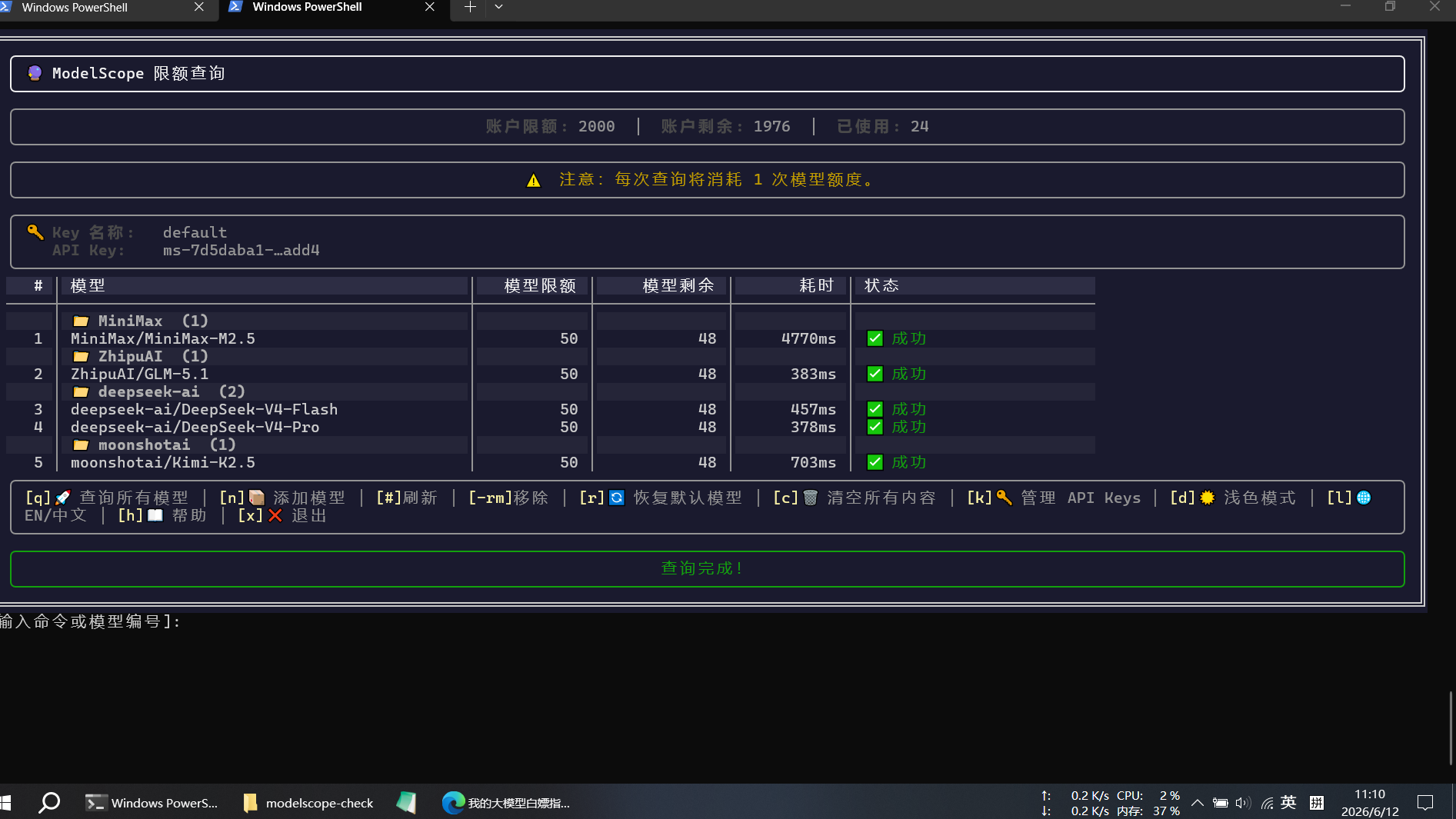
用 rich 做了一套交互式 TUI,表格展示模型分组和额度状态,支持编号快速刷新、移除单模型。
主要命令:
| 键 | 作用 |
|---|---|
q |
查所有模型 |
n |
添加模型 |
3 (数字) |
刷新 3 号模型 |
-rm 3 |
移除 3 号模型 |
k |
管理 API Key |
d |
切换深色/浅色 |
l |
中英切换 |
多 Key 管理也保留了,数据存 ~/.config/modelscope-ratelimit/config.json,开箱即用。
踩坑
唯一比较烦的是 rich 的颜色解析——grey95 这种命名色值当背景用(on grey95)会直接报 MissingStyle,换成 hex 就好了:
1 | bg = '#1a1a2e' if dark else '#f2f2f2' |
用法
1 | python modelscope_check.py # 交互模式(推荐) |
已配置 PowerShell 别名,终端输入 ms-check 即可直接打开交互式工具。
代码放在本地 D:\Projects\modelscope-check,需要 requests + rich 两个库。
预览图