本地部署文生图AI模型
本地部署文生图AI模型
clover本地部署 Z-Image-Turbo GGUF 全流程记录
背景
Z-Image-Turbo 是阿里巴巴通义实验室开源的 6B 参数图像生成模型,采用 S3-DiT 架构,支持中英文提示词,8 步即可出图。官方提供 BF16、FP8、GGUF 三种量化版本,其中 GGUF 版本专为低显存设备设计,是我选择本地部署方案的主要原因。
一、环境准备
1. 硬件确认
部署前查看显卡信息:
1 | nvidia-smi |
我的配置:GTX 1650 · 4GB VRAM · 16GB 系统内存
2. 下载 ComfyUI 便携版
前往官方文档选择对应显卡版本:
https://docs.comfy.org/zh/installation/comfyui_portable_windows
NVIDIA 显卡用户下载 CUDA 12.6 版本(GTX 10 系及更早)或 CUDA 13.0 版本(RTX 20 系及以上),解压即用。
3. 安装 ComfyUI-GGUF 插件
在 ComfyUI 便携版目录下打开 PowerShell:
1 | cd D:\Projects\ComfyUI_windows_portable |
二、下载模型文件
需准备三个文件,分别放入对应目录:
| 文件 | 大小 | 存放路径 | 下载地址 |
|---|---|---|---|
| z_image_turbo-Q3_K_S.gguf | ~3.5GB | models\unet\ | jayn7/Z-Image-Turbo-GGUF |
| Qwen3-4B-Q3_K_S.gguf | ~1.8GB | models\text_encoders\ | unsloth/Qwen3-4B-GGUF |
| ae.safetensors | ~90MB | models\vae\ | Comfy-Org/z_image_turbo |
也可用命令行下载:
1 | huggingface-cli download jayn7/Z-Image-Turbo-GGUF z_image_turbo-Q3_K_S.gguf --local-dir models\unet |
三、获取工作流
下载 GGUF 专用工作流 JSON 文件:
https://huggingface.co/jayn7/Z-Image-Turbo-GGUF/blob/main/example_workflow.json
将 JSON 拖入 ComfyUI 界面即可加载。
四、启动与生图
双击 run_nvidia_gpu.bat 启动 ComfyUI,浏览器访问 http://127.0.0.1:8188。
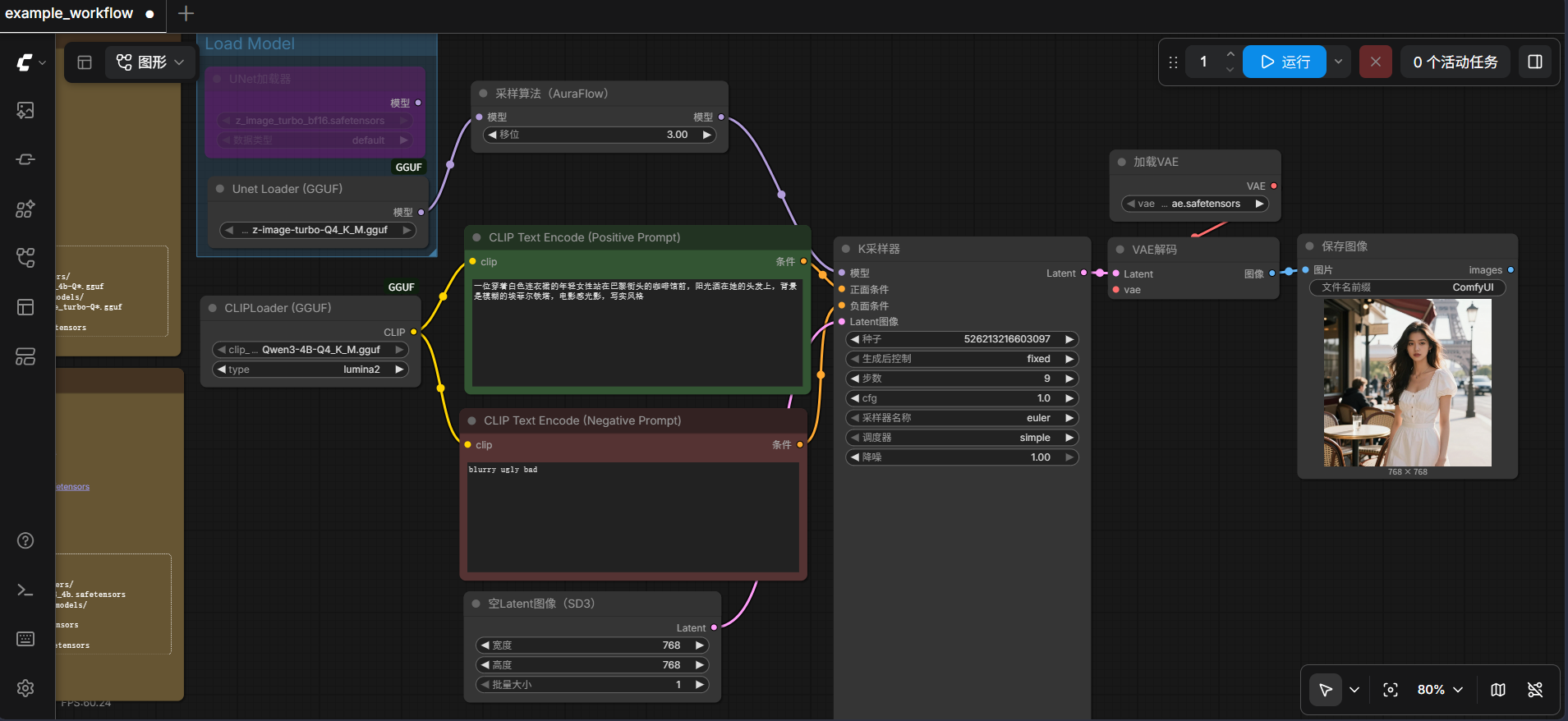
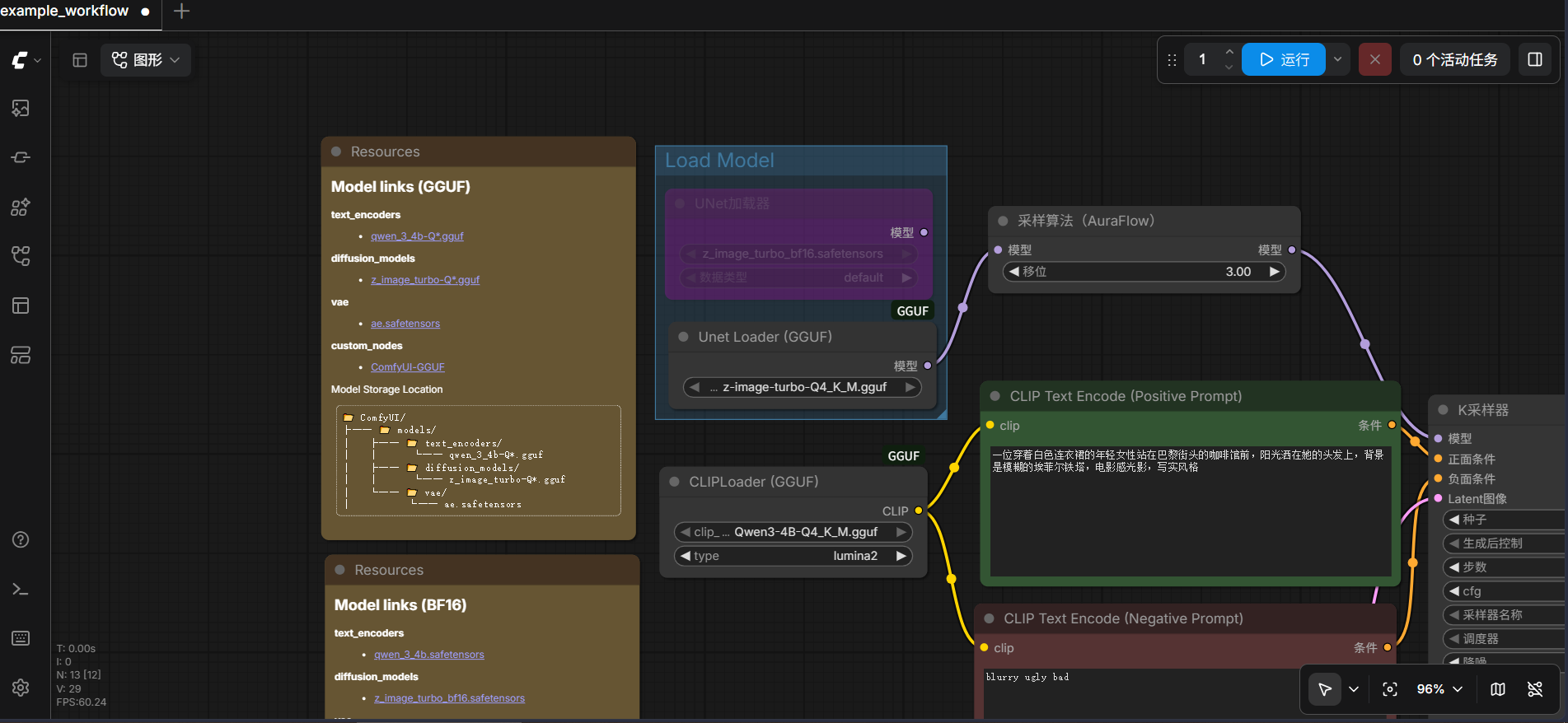
加载工作流后,在两个 GGUF 节点的下拉菜单中分别选择对应的模型文件:
- UnetLoaderGGUF →
z_image_turbo-Q3_K_S.gguf - CLIPLoaderGGUF →
Qwen3-4B-Q3_K_S.gguf
KSampler 关键参数:
- Steps:8
- CFG:1.0
- Sampler:
euler_ancestral - 分辨率:768×768
在 Positive Prompt 输入提示词,Negative Prompt 留空,点击运行即可。
五、提示词示例
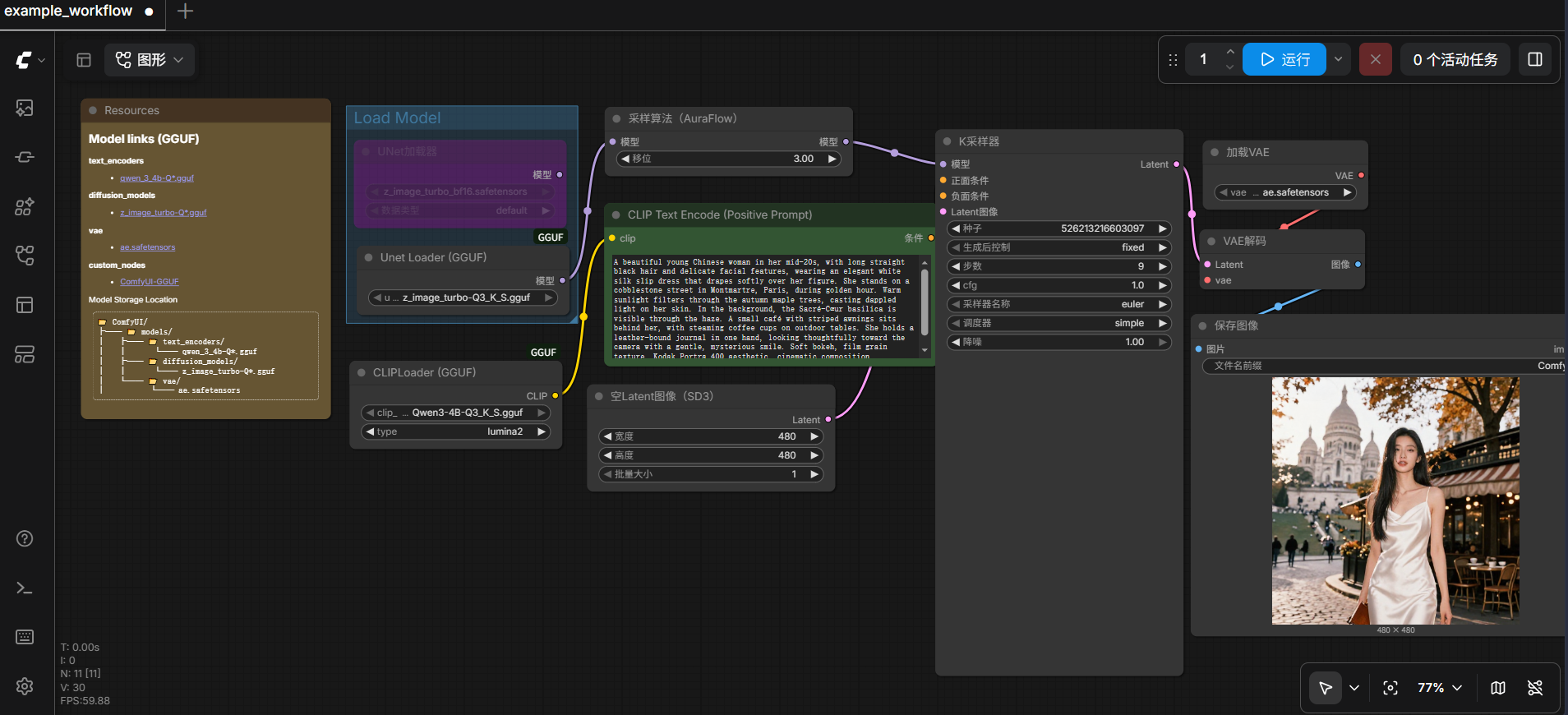
A beautiful young Chinese woman in her mid-20s, with long straight black hair and delicate facial features, wearing an elegant white silk slip dress that drapes softly over her figure. She stands on a cobblestone street in Montmartre, Paris, during golden hour. Warm sunlight filters through the autumn maple trees, casting dappled light on her skin. In the background, the Sacré-Cœur basilica is visible through the haze. A small café with striped awnings sits behind her, with steaming coffee cups on outdoor tables. She holds a leather-bound journal in one hand, looking thoughtfully toward the camera with a gentle, mysterious smile. Soft bokeh, film grain texture, Kodak Portra 400 aesthetic, cinematic composition
用上面的提示词生成的效果如下:
六、遇到的问题与硬件遗憾
部署过程本身很顺利,真正的问题出在硬件上。
GTX 1650 的 4GB 显存在实际使用中,被 Windows 系统占去一部分后,ComfyUI 可用显存仅剩约 1.8GB。而 Z-Image-Turbo-Q3 模型本身就需要 3.5GB 左右,无法完整装入显存。日志中反复出现:
1 | CLIP/text encoder model load device: cpu, offload device: cpu |
这意味着扩散模型的大部分计算被卸载到了 CPU 内存上执行。结果就是——生图确实能成功,但每张图需要 3 分钟左右,且系统内存会被大量占用。
对于本地部署 AI 生图而言,8GB 显存是 GGUF 量化版本的舒适区下限,4GB 显存虽然能跑通,但只能以 CPU 模式勉强运行,失去了本地部署追求的速度和体验。这也是这次部署最核心的遗憾——模型选对了,步骤走通了,但硬件卡住了最后一公里。
如果未来升级到 8GB 及以上显存的显卡(如 RTX 3060 12GB 或 4060 Ti 16GB),这套流程无需任何改动即可享受完整的 GPU 加速生图体验。
参考资源
- Z-Image-Turbo 官方文档:https://docs.comfy.org/tutorials/image/z-image/z-image-turbo
- ComfyUI-GGUF 插件:https://github.com/city96/ComfyUI-GGUF
- Z-Image-Turbo GGUF 模型:https://huggingface.co/jayn7/Z-Image-Turbo-GGUF
- Qwen3-4B GGUF 模型:https://huggingface.co/unsloth/Qwen3-4B-GGUF